
DNS can be quite complicated if you over think it and I’ve been guilty of this, myself.
PROMISE: When it comes to DNS, keeping things simple, makes it easier to understand.
For beginners, or those who have no idea about internet technology, its easiest to think of a DNS as a directory or telephone book. The directory (telephone book) translates the name of a person or business into an address/phone number, right?
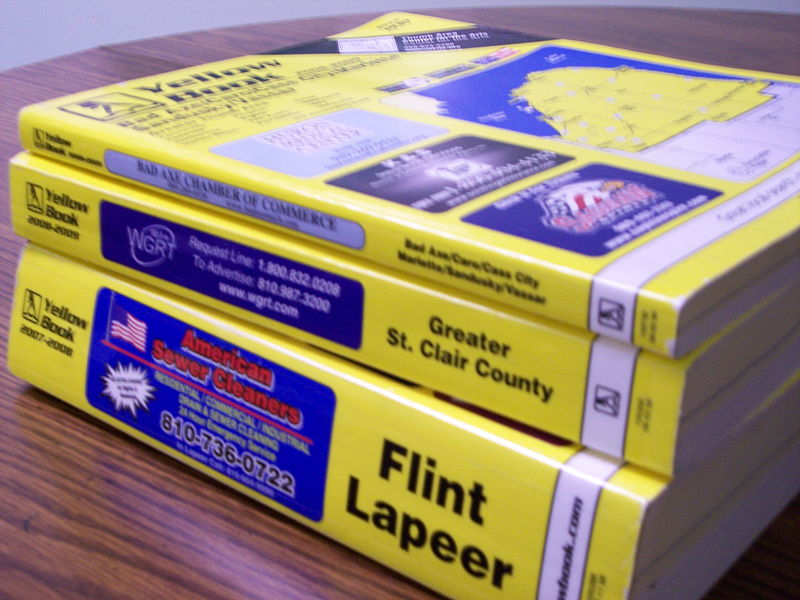
This is exactly what DNS does for the internet. DNS (Domain Name System) translates the name of a computer (or other network equipment), into addresses, known as IP addresses.
Take a look at the picture below. Click on it to open a larger version in a new tab/window.

domain name system
When I type “host bamajr.com” into my linux terminal screen as so:
[sourcecode language=”bash”]bamajr@9H38PJ1:~$ host bamajr.com[/sourcecode]
…and press the enter key, I get the following output:
[sourcecode language=”bash”]bamajr.com has address 173.165.231.54[/sourcecode]
…along with some other information.
In this example, typing “host” tells my computer I want to reference a DNS (or directory). The “bamajr.com” following “host” signifies I’m looking for the name “bamajr.com” in the DNS (or directory). When I press enter, a DNS finds the information I asked for and presents me with the information available for the name (bamajr.com) I requested. In this case, “173.165.231.54” is the IP address (or address) on record.
See, this stuff isn’t so difficult, right?
I promised keeping things simple, would make it easier to understand and I hope I’ve been able to help you in your understanding of DNS, by keeping things simple for you.
This post represents the required post for P2PU: Webmaking 101 – Attack the DNS. I used my own knowledge of DNS and Wikipedia to help with this article.
If you are interested in any of my prior posts in the P2PU: Webmaking 101 series, you can see them below:
- P2PU: Webmaking 101
- P2PU: Webmaking 101 – Writing HTML by Hand
- P2PU: Webmaking 101 – Choose Your Weapon
- P2PU: Webmaking 101 – HTML Hunting in the World Around You
Oh, and if you have the time, I have a poll running at the bottom of the
post. Take some time to cast your vote. If you don’t see your favorite text editor listed, just add it. I think those who are watching this poll would find it much more useful if the actual editor was mentioned if you choose to vote for “other.”